

Introduction
Managing personal finances efficiently has become easier thanks to digital banking and automation. One of the most convenient tools available is automatic bill payments. Whether it’s for credit cards, utility bills, subscriptions, rent, or loans, automating payments can help avoid missed due dates, reduce late fees, improve your credit score, and streamline financial planning. However, while automation offers simplicity, it also requires careful setup and ongoing management to ensure your finances stay in good shape.
This guide will walk you through how to set up automatic bill payments effectively and manage them so they continue to work in your favor.
Understanding the Basics of Automatic Bill Payments
Automatic bill payments are scheduled electronic transactions that pay your recurring bills directly from your bank account or credit card. These payments can be set up through your service provider, a third-party platform, or directly through your bank’s online bill pay system.
There are typically two types of automatic payments:
- Fixed Payments: These are the same amount each month, such as mortgage payments or streaming subscriptions.
- Variable Payments: These vary from month to month, like utility bills or credit card balances.
It’s crucial to understand which bills you’re automating and whether the amount is fixed or variable, as that affects how you manage your account balances.
How to Set Up Automatic Bill Payments Effectively
Setting up automatic bill payments involves a few steps, but once done correctly, it significantly reduces your financial workload. Here’s how to do it:
Choose the Right Bills to Automate
Not all bills should be automated blindly. Start with those that are predictable and consistent. Some good candidates include:
- Rent or mortgage
- Auto or student loans
- Insurance premiums
- Internet and streaming services
For bills that fluctuate, like utilities or credit cards, you can still automate, but consider setting payment limits or reminders.
Decide Where to Set Up Payments
You have multiple options to initiate automatic payments:
- Through Your Bank: Most banks offer online bill pay services where you can set up recurring payments. This gives you better control and centralization.
- Through Service Providers: Many companies allow you to link your debit card, credit card, or bank account for direct billing. This is often more immediate and reliable for variable charges.
- Third-Party Apps: Platforms like Mint, Prism, or YNAB allow you to manage and automate bill payments with added financial tracking features.
Weigh the pros and cons of each based on convenience, control, and transparency.
Input Payment Details Carefully
When setting up a payment, double-check the following:
- Correct billing account number
- Exact payment amount or billing cap
- Accurate payment frequency (monthly, biweekly, etc.)
- Start and end dates
Incorrect inputs can result in missed payments, overdraft fees, or even service disconnections.
Choose a Payment Method
Select a funding source that suits the nature of the bill:
- Bank Account: Best for large, recurring fixed bills like mortgages.
- Credit Card: Ideal for small or subscription-based services that benefit from rewards or fraud protection.
Avoid using debit cards if you’re tight on cash, as overdrafts can occur more easily.
Set Payment Dates Strategically
Align your bill payment schedule with your payday. This helps ensure funds are available in your account when payments are deducted. If possible, stagger your payment dates to balance your monthly cash flow instead of bunching all bills at the beginning or end of the month.
Save Confirmation and Track Payments
Always save a screenshot or confirmation email when you set up a new automatic payment. Keep a log of what’s automated to reference later. Many people forget which bills are on autopay and lose track of spending.
Managing Automatic Payments Over Time
Setting up automatic bill payments is just the beginning. Ongoing management ensures they don’t turn into financial pitfalls.
Review Your Bank and Credit Card Statements Regularly
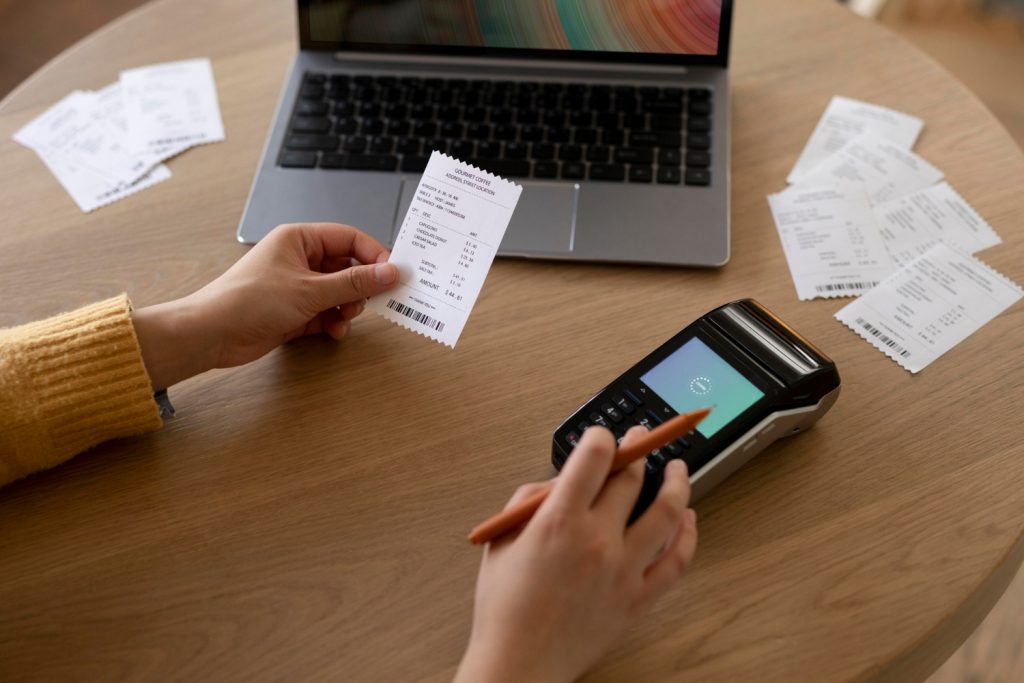
Even if your bills are on autopilot, review statements monthly. Look for:
- Incorrect charges
- Duplicate payments
- Unexpected increases
- Declined payments due to insufficient funds
Monitoring your statements keeps you in control and helps detect fraud early.
Adjust for Changes in Bill Amounts
Bills like utilities or mobile data can fluctuate seasonally or due to extra usage. Set up alerts or billing caps where possible to avoid overdrawing your account. For credit card autopayments, consider setting them to pay the statement balance, not just the minimum, to avoid accumulating interest.
Update Payment Information Promptly
If your bank account changes or your credit card expires, update all linked services immediately. Failure to do so can result in failed payments, penalties, and disrupted services.
Also, if a service provider updates their billing systems or changes billing terms, you may need to reauthorize autopay—don’t ignore such notices.
Maintain a Cushion in Your Bank Account
One of the common risks with automatic payments is overdrawn accounts. To avoid overdraft fees, always keep a buffer of cash—ideally one to two weeks’ worth of expenses—available in the account that funds your automated payments.
Set Reminders for Non-Automated Bills
Not every bill can or should be automated. For those that aren’t, set calendar alerts, email reminders, or task lists to ensure you don’t forget them. This includes annual bills, like property taxes or insurance renewals.
Reevaluate Subscriptions and Recurring Expenses
Subscription creep is a real issue with automation. At least once a quarter, review all your autopayments. Cancel services you no longer use, and consolidate where possible. An unused gym membership or duplicate streaming service is wasted money.
Use Budgeting Tools to Visualize Automation Impact
Apps like YNAB, PocketGuard, or your bank’s budgeting tool can help you visualize how much of your income is committed to autopayments. This makes it easier to plan discretionary spending and savings.
Benefits and Potential Pitfalls of Automatic Bill Payments
Understanding the pros and cons of automation can help you stay proactive and prepared.
Benefits of Automating Bill Payments
- On-Time Payments: Avoid late fees and improve your credit score.
- Convenience: Fewer tasks to remember each month.
- Consistency: Makes budgeting easier with predictable deductions.
- Time Savings: Reduces the mental load of managing monthly bills.
- Paperless Options: Cuts down on physical mail and clutter.
Potential Drawbacks and How to Avoid Them
- Overdraft Risk: Can occur if you forget about scheduled payments.
- Lack of Awareness: Easy to lose track of how much is going out.
- Subscription Overload: Ongoing charges for unused services.
- Billing Errors: Automated systems may not catch erroneous charges.
- Security Risks: If your bank details are stolen or compromised.
Mitigating these risks comes down to vigilance and routine review. Automation should simplify your financial life—not allow it to run without oversight.
Conclusion
Automatic bill payments can be a powerful tool for simplifying your financial life, ensuring that your bills are paid on time, and reducing stress. However, like any tool, it needs to be used correctly and responsibly. By thoughtfully choosing which bills to automate, carefully setting up payment details, and regularly monitoring your accounts, you can reap the benefits of automation while avoiding its potential downsides.
Taking a few hours today to set up and manage your bill payments could save you countless hours—and dollars—in the future. So take control of your financial automation today and enjoy the peace of mind that comes with a system that works for you.